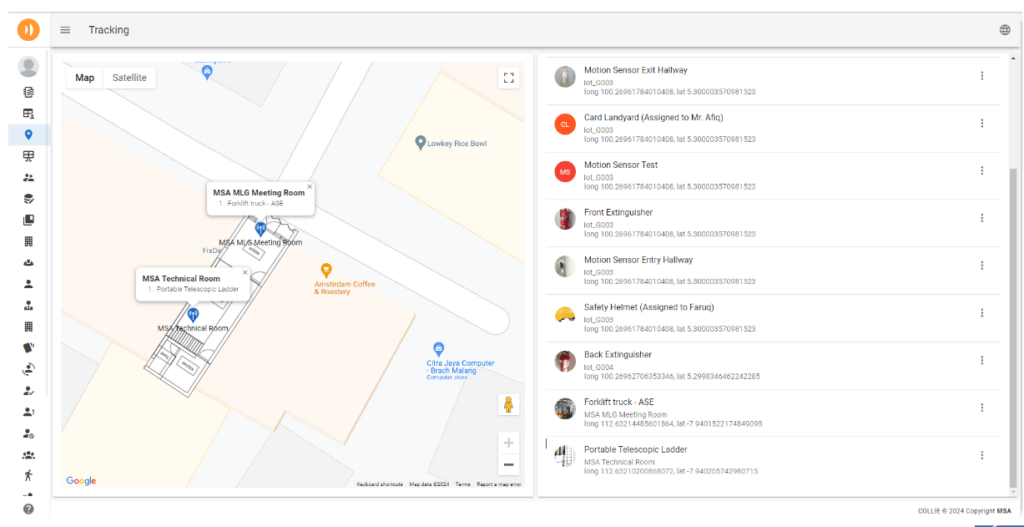
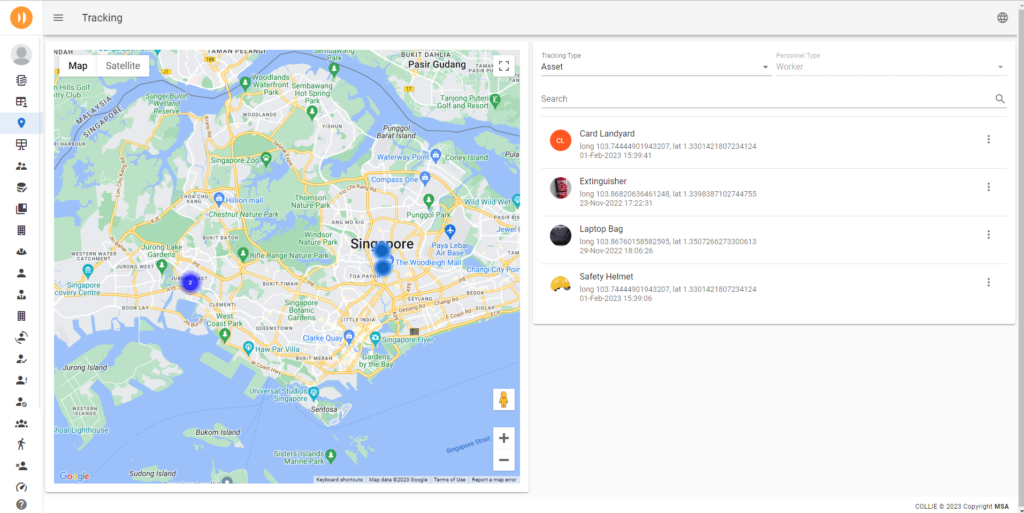
A small BLE beacon, clipped to a fire extinguisher or worn on a lanyard, is enough to know exactly where it’s been. Collie’s beacon network puts every tracked asset and person on a live floor plan, keeps a history of how they moved, and tells you the moment a device needs a new battery.
A misplaced tool, an unaccounted-for worker during an emergency, or a piece of equipment nobody can locate — all solvable with a signal cheaper than a keychain.
Assets go missing
Fire extinguishers, tools, and mobile equipment drift from where they’re supposed to be — and searching for them wastes real working hours.
No picture in an emergency
When something goes wrong on site, knowing exactly who’s where — for rescue and recovery — shouldn’t depend on a headcount and guesswork.
No usage insight
Without movement history, there’s no way to see how assets and staff actually flow through a site — data that’s often the key to optimising a warehouse layout.
What’s inside
From a signal to a floor plan
Live floor plan view
Every tracked beacon appears as a dot on your building’s actual floor plan, positioned in real time using signal strength.
Movement history
Play back where a person or asset has been over the last hour, day, or week — a trail, not just a dot.
Beacon device status
Battery level and last-seen time for every tag, so a dying beacon gets swapped before it goes dark, not after.
Zone alerts
Get notified the moment a tracked asset or person enters or leaves a zone they shouldn’t — a restricted area, or simply the building.
Beacon types
One network, many kinds of signal
Beyond position, different beacons read different things — chosen per asset, not one-size-fits-all.
Tracking beacon
e.g. tools, excavators
A basic BLE tag for location — clipped, stuck, or worn, tracked purely by signal strength.
Wearable beacon
e.g. patrol officers
Keychain or card-format tags designed to be carried or worn for continuous personnel tracking.
Motion / fall sensor
e.g. worker fall detection
Accelerometer-equipped beacons that detect strong movement or a fall, and trigger an alert automatically.
Temperature sensor
e.g. cold storage checks
Beacons with a temperature or humidity probe, from freezer monitoring to ambient job-site conditions.
Hall / open-close sensor
e.g. cabinet access
Detects a magnetic field to sense whether a door, cabinet, or panel is open or closed.
Proximity / ToF sensor
e.g. seat occupancy
Detects nearby objects or people at close range — from occupied seats to a bin that’s nearly full.
Flood / liquid sensor
e.g. leak detection
Detects water leaks or liquid level changes, useful for facilities with sensitive equipment nearby.
External input sensor
e.g. machine status
Reads dry or wet contact and high/low signals from third-party equipment, feeding them into the same platform.
How it flows
Ping. Position. Log.
01
Ping
Each beacon broadcasts a signal at a set interval, picked up by nearby gateways scanning continuously.
02
Position
Signal strength across multiple gateways places the beacon on your floor plan — no GPS needed indoors.
03
Log
Every position update builds into a movement history, ready to review, export, or replay later.
Beacon tags are inexpensive, battery-powered, and stick-and-forget — some run for years on a single charge, with no wiring and no ongoing maintenance.
Low Cost
Long Battery Life
Easy to Deploy
MOD.02 · Also on the fleet
A moving gateway, not just a fixed one
Fixed gateways cover fixed floors. A Collie robot on patrol can carry a beacon gateway with it — picking up tagged assets and personnel in aisles, yards, or outdoor areas that a wall-mounted gateway would never reach.